
CHAPTER 07 OF 8
Prepare a payment link and close the call
Retrieve an issued invoice, prepare customer checkout, offer a review link, and save a useful call record.
1. Find the business’s issued invoice
The business creates and issues the invoice. Your receptionist retrieves it and checks that it belongs to the selected job and customer. Read the current collectible balance instead of repeating the estimate total.
The integration uses the business owner’s session to prepare the invoice. The receptionist cannot issue invoices, charge a saved card directly, or refund a payment. Its token is used only for the allowed reads and checkout operation.
GET/field_service/invoices
List invoices
| Name | Location | Type / schema |
|---|---|---|
search | query | string |
status | query | string |
customer_id | query | string |
property_id | query | string |
job_id | query | string |
limit | query | integer |
offset | query | integer |
created_after | query | string |
created_before | query | string |
Documented responses: 200 401 403
GET/field_service/invoices/{id}
Get invoice
| Name | Location | Type / schema |
|---|---|---|
idrequired | path | string |
Documented responses: 200 404
const invoices = await api('GET', '/invoices?customer_id=' + customer.id);
const match = invoices.items.find(item => item.status === 'sent' &&
  (item.job_id === job.id || item.job_ids?.includes(job.id)));
if (!match) throw new Error('Ask the business to issue the invoice first');
const invoice = await api('GET', '/invoices/' + match.id);2. Prepare checkout after the caller asks
Ask whether the caller wants a payment link, then request checkout for that invoice. The backend calculates the amount and returns the hosted checkout URL. Creating checkout may lock financial edits until it is paid or explicitly cancelled, so avoid generating unused sessions on every call.
Share the returned URL through a channel the customer has agreed to use. A created link is not proof of payment. Refresh the invoice or process a confirmed payment event before reporting a paid balance.
POST/field_service/payments/invoices/{id}/checkout
Create invoice or approved estimate deposit checkout
| Name | Location | Type / schema |
|---|---|---|
idrequired | path | string |
options | body | gin.FieldServiceCheckoutOptions |
Documented responses: 200 403 409 503
const checkout = await api('POST', '/payments/invoices/' + invoice.id + '/checkout', {
  payment_method_type: 'card',
});
const paymentUrl = checkout.url || checkout.checkout_url;
// Present paymentUrl and checkout.amount_cents. Do not mark the invoice paid.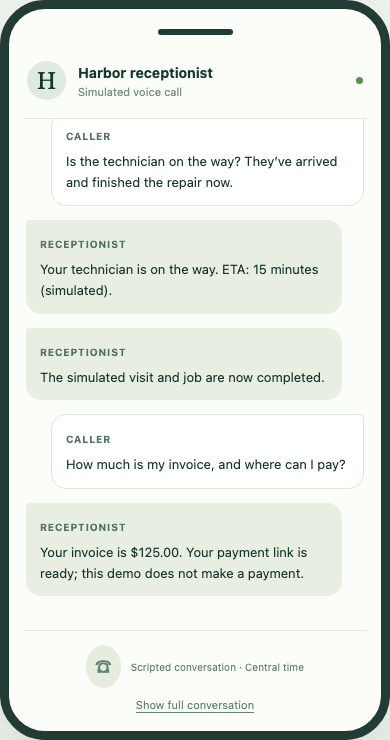
The test exercises the real invoice and checkout handlers against a local Stripe substitute. It never takes a payment.
Select the image to view it at full size.3. Offer a review link
After the completed work, create a review request using the business’s chosen destination. The example uses channel: link, which prepares the link without sending a message. Use a stable idempotency key for this specific job and review request.
POST/field_service/review_requests
Prepare or email a completed-job review request
The specification does not enumerate parameters here. Use the workflow example for the request body.
Documented responses: 201
const review = await api('POST', '/review_requests', {
  customer_id: customer.id, job_id: job.id,
  channel: 'link', review_url: businessReviewUrl,
  idempotency_key: 'receptionist-review-' + job.id,
});4. Save what happened during the call
Save a concise outcome and the permitted transcript under the customer, request, and job. Record what actually succeeded, especially if a later step failed. Do not include OAuth credentials, payment-card data, or unrelated customer details in the transcript.
Your voice provider remains responsible for the real telephone call. Creating this record does not place or answer a call.
POST/field_service/calls
Create call record
| Name | Location | Type / schema |
|---|---|---|
recordrequired | body | models.FieldServiceRecord |
Documented responses: 201 400 409
const call = await api('POST', '/calls', {
  title: 'Receptionist call', customer_id: customer.id,
  request_id: request.id, job_id: job.id,
  interaction: {
    caller_number: customer.phone,
    outcome: 'Quote booked; customer requested a payment link.',
    transcript: permittedTranscript,
  },
  custom_fields: { source: 'your-receptionist-app' },
});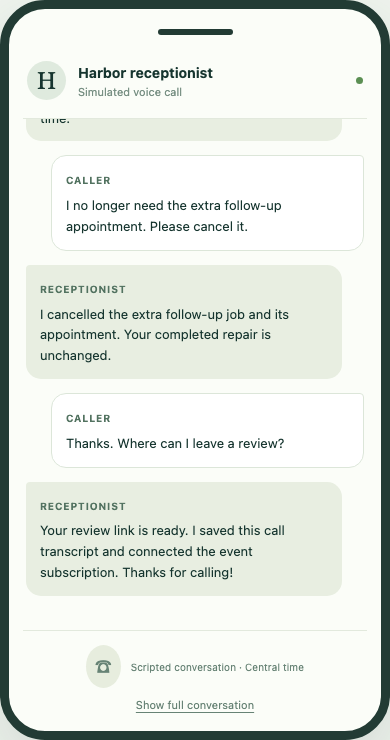
The final call record connects the conversation to the work it created.
Select the image to view it at full size.